

When shop software fails, it’s rarely the software. The failure pattern repeats from shop to shop — and because the pattern repeats, the way around it can be written down. The seven we meet most:
1. Enabling every feature on day one
Day-one enthusiasm switches on every module at once: accounting, payroll, promos, everything. The result: crowded menus, a confused team, and the wrong conclusion — “this app is complicated.” What’s complicated is eating a buffet in one bite. Start with the repair flow + receipts; other modules follow real needs.
2. Recording transactions before the basic lists exist
Empty dropdowns, cashiers typing freely, one product born in five spellings. Dirty week-one data is a tax paid for years. Spend 30 minutes filling those lists first — brands, fault types, services, part categories. It saves thousands of rows later.
3. Guessing the opening stock, “we’ll fix it later”
Guessed opening numbers make every stock report after them fiction — and fixing it mid-flight costs more. If you can’t count everything yet, enter it category by category as each gets counted properly; the rest follows via Excel import and stock counts.
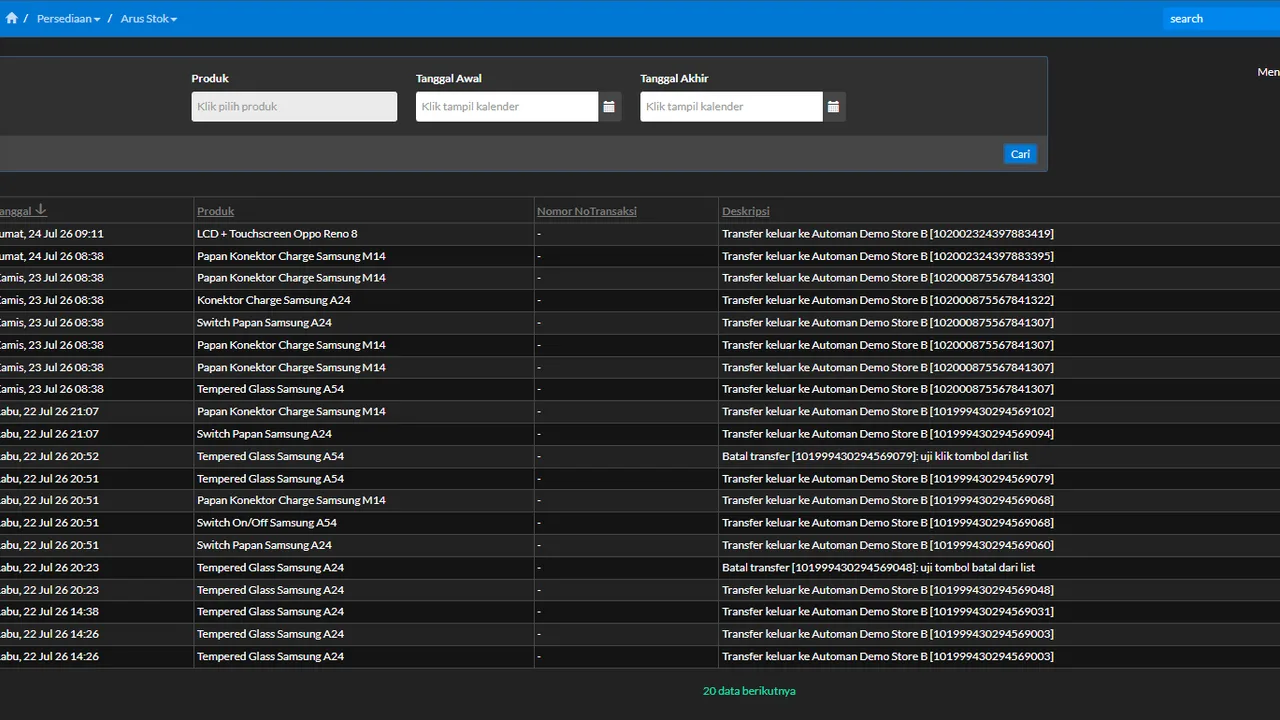
4. Keeping two sets of books “just in case”
The app runs, but the old notebook and Excel keep being filled in. The intent is safety; the result is two versions of the truth that never match — and a team quietly reverting to the old way because “we record it twice anyway.” Set a firm transition window (say, 2 weeks), then retire the old records from daily use.
5. Everyone sharing one account
One shared login means every trail is meaningless: who changed the price, who deleted the sale — permanently unanswerable. Create accounts per person with right-sized roles from day one — far easier than imposing it after habits set.
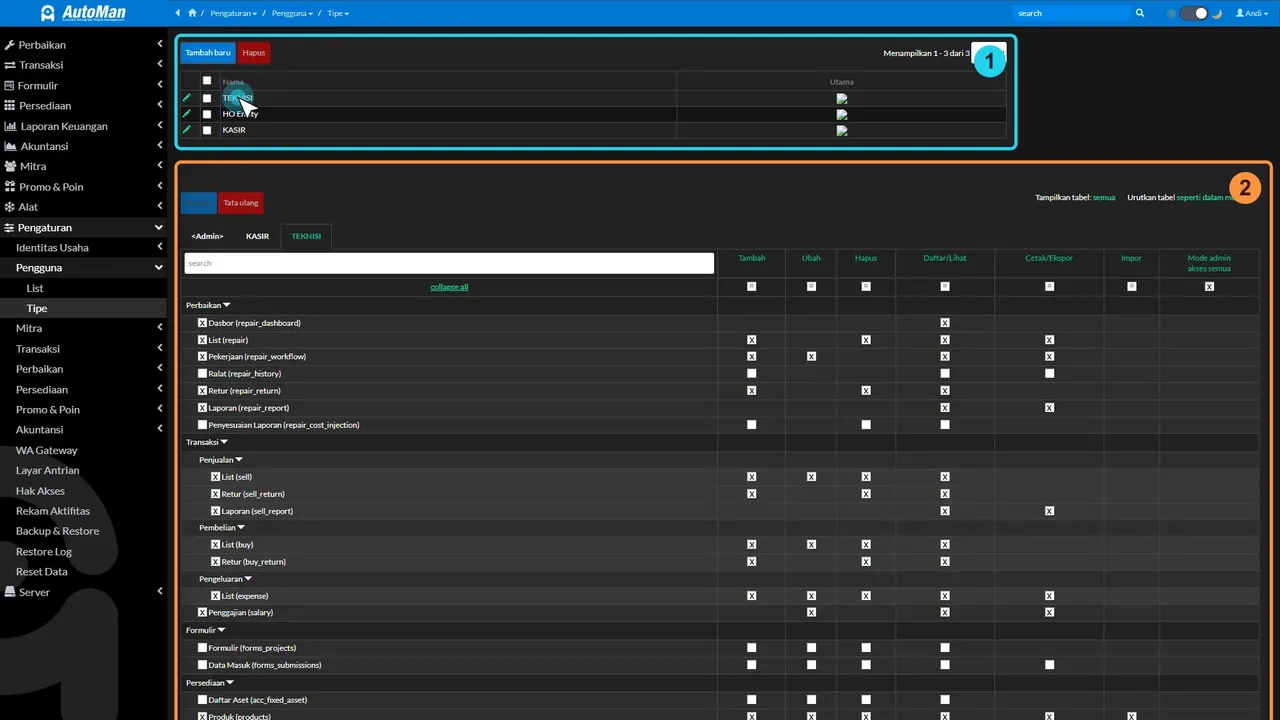
6. Skipping parts usage on repairs
The repair gets recorded, but the installed part doesn’t — “we were busy.” This is the number-one source of stock drift, and it corrupts two numbers at once: stock and per-job profit. The rule has no exceptions: parts leave only through transactions.
7. Recording everything, reading nothing
Diligent input but never opening a report = owning a security camera nobody watches. The system’s real value lives in decisions: which margins are thin, whose receivable is due, which stock is sleeping. Start with reading the P&L — even 15 minutes a month upgrades your decision-making class.
The common thread
All seven mistakes share one root: treating the app as extra work instead of the new way of working. The cure is also one: start small on the right path — a first 30 minutes done right beats a first week that tried to do everything.