

Promos & Points
Targeted Discounts and Loyalty Points That Protect Your Margin
Blanket discounts often erode profits during days that are already busy. Automan applies precise conditions and loyalty points that calculate automatically at checkout or repair intake, protecting your margin while bringing customers back.
- Web
Free to start · no credit card
How it works
From first use to everyday habit.
-
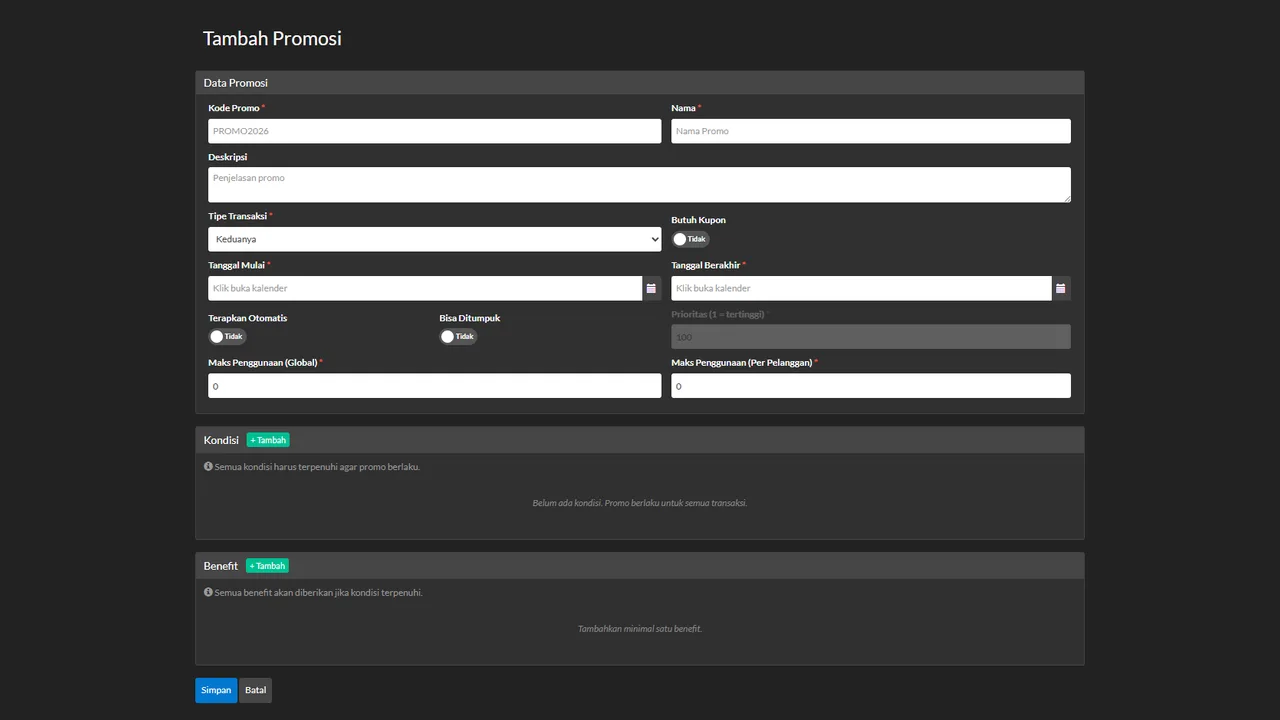
Set Promotion Conditions and Rules
Choose condition combinations from off-peak hours, spend thresholds, item categories, to customer types.
-
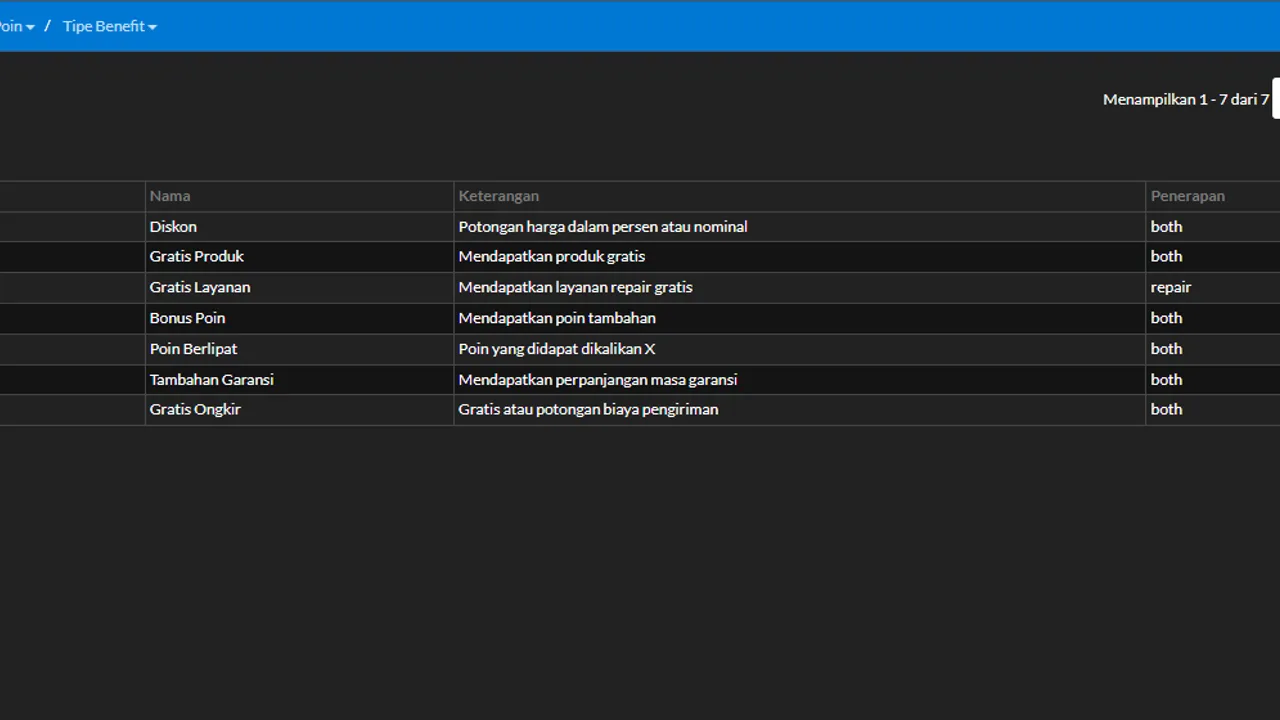
Choose the Reward Type
Pick between price discounts, free products or services, extra warranty, or bonus points.
-
Apply Caps and Usage Limits
Set global limits, per-customer quotas, and priority stacking to keep promotional spending under control.
-
Calculate Automatically at Checkout
The system applies rewards or updates loyalty points directly during repair intake and counter sales.
What it does
Flexible Condition Combinations
Target promotions by slow hours, spend thresholds, item categories, or specific customer groups.
Margin-Safe Reward Types
Offer bonus points, free services, or extended warranties as attractive alternatives to cash discounts.
Automated Loyalty Points
Accumulate points on completed transactions and set expiry rules to keep store liabilities in check.
Points Redemption Catalogue
Let customers redeem their points balance for discounts, spare parts, or services you define.
Strict Usage Quotas
Prevent overspending with store-wide usage caps, per-customer limits, and priority stacking rules.
POS and Repair Integration
Discounts and point balances appear directly on repair intake and counter sales without manual entry.
The full picture
Repair shops often fall into the trap of discounting without direction. When the workshop is quiet, owners hang a generic discount banner across all services and products. When the busy weekend arrives, customers who were already planning to visit happily take the discount anyway. The counter registers high sales volume, yet net profit shrinks because margins are cut without gaining genuine customer retention.
A healthy promotion solves specific operational bottlenecks: filling empty weekday hours, clearing slow-moving accessory inventory, or rewarding customers who service their devices regularly. The Promotions & Customer Points module in Automan separates deliberate promotional strategy from indiscriminate price-slashing.
Crafting promotions from conditions and rewards
In Automan, you do not select promotions from a rigid preset list. You build each offer from two complementary building blocks: the conditions that qualify an order, and the benefit the customer receives.
The condition criteria determine who qualifies and when the promotion applies. Nineteen distinct condition types can be combined, including:
- Specific days and time slots, to shift customer traffic toward quiet weekday mornings.
- Minimum transaction value or quantity thresholds, encouraging customers to add protective accessories or bundle repairs.
- Specific products, services, categories, or subcategories, moving slow-stock spare parts.
- Customer groups, such as customers celebrating birthdays this month, first-time repair clients, or accounts with specific point balances.
- Payment methods and payment channels, nudging clients toward low-fee settlement methods.
Once the criteria are met, you choose the reward. Benefits go far beyond basic cash discounts. You can provide free accessories, complimentary diagnostic checks, bonus loyalty points, point multipliers, extended repair warranties, or free shipping. Offering an extra warranty period or bonus points frequently feels just as valuable to the customer without depleting the store cash drawer. You can read the detailed configuration steps in the promotions and loyalty points tutorial.
Loyalty points: a compelling reason to return
If a promotion attracts customers today, loyalty points keep them from walking over to a competing repair shop the next time a screen cracks. Points in Automan are linked directly to each customer profile.
Whenever a customer settles a transaction at the POS cashier or collects a device under repair management, the system calculates their earned points according to your rules. You decide minimum spend requirements, eligible transaction categories, and point validity windows in days.
Point expiry windows are essential. Points without an expiration date pile up on your financial records as open-ended liabilities. With a defined validity period, customers are motivated to return before their balance lapses, keeping your balance sheet protected.
Accumulated points are redeemed through a structured Point Redemption Catalogue. You can offer discounts on future labour, complimentary screen protectors, or branded shop merchandise. When customers see their active point balance printed on repair receipts and know what rewards await, loyalty becomes tangible.
Built-in guardrails: quotas and priority stacking
A major concern for shop owners running promotional campaigns is budget leakage or a single customer claiming all available perks. Automan enforces strict safeguards:
- Global usage limits: sets a hard ceiling on total store redemptions, shutting the promotion off once your marketing budget is exhausted.
- Per-customer limits: prevents one buyer from sweeping up an offer intended for broad acquisition.
- Coupon requirements: restricts redemptions to holders of a specific voucher code, ideal for targeted broadcast messaging.
- Stacking rules and priority: specifies whether an offer can be combined with other promotions. If non-stackable, the system prioritizes the promotion with the highest rank.
Your front-counter staff never have to memorize complex qualification matrices or argue with customers over discounts.
Automatic calculation at checkout and intake
All configured rules run silently behind the scenes during daily operations. As counter staff add parts to a sale or service advisers check in a broken device, the system evaluates active promotions in real time.
The customer point balance appears on screen during invoicing. Staff simply select catalog items if the customer opts to redeem points, or allow eligible discounts to apply automatically. Manual calculations on desktop calculators and unauthorized off-the-cuff discounts are eliminated. You can also evaluate promotion effectiveness alongside the customer acquisition sources tool.
Starting your first promotion campaign
You do not need an elaborate promotional scheme on day one. Start with one simple, targeted campaign, such as extended repair warranty on off-peak weekdays or double loyalty points for device maintenance.
Promotions & Customer Points is a paid add-on module — you can review complete details on our pricing page. Feel free to explore the workflow firsthand on the Automan interactive demo to see automated counter calculations in action.
Prerequisites and effects when disabled
The Promotions & Customer Points module requires active customer records since points attach to customer profiles, plus at least one active transaction area (Sales or Repairs). If disabled, the Promo & Points menu group and its settings are hidden, promotional offers and point redemptions at checkout and repair intake are closed, and discounts must be typed manually on each invoice. Previously recorded point balances and promotional logs remain safely stored.
FAQ
How do I prevent promotions from eating into shop margins?
Can customer loyalty points expire?
Can multiple promotions be applied to a single receipt?
Is Promotions & Customer Points a paid add-on?
Where can customers redeem their accumulated points?
Related reading
- Tutorial
Create promotions and customer loyalty points
Step-by-step guide to configuring condition rules, benefit types, and points catalogues.
- Feature
POS Cashier
Automatic discount and point redemption during counter sales transactions.
- Feature
Repair Management
Automatic promo checks and point balances during unit intake and handover.
- Feature
Customer Sources
Track which promotional channels bring the most paying customers to your shop.
Already know the problem?
See the workflow demo that matches it.