

Purchase Returns and Supplier Claims
A part that arrived faulty is not your loss — until you leave it sitting until the claim window closes.
That is the moment your money turns into a box in the corner of the storeroom. Claiming from a supplier needs two things: the goods recorded as damaged, and the claim leaving a trail.
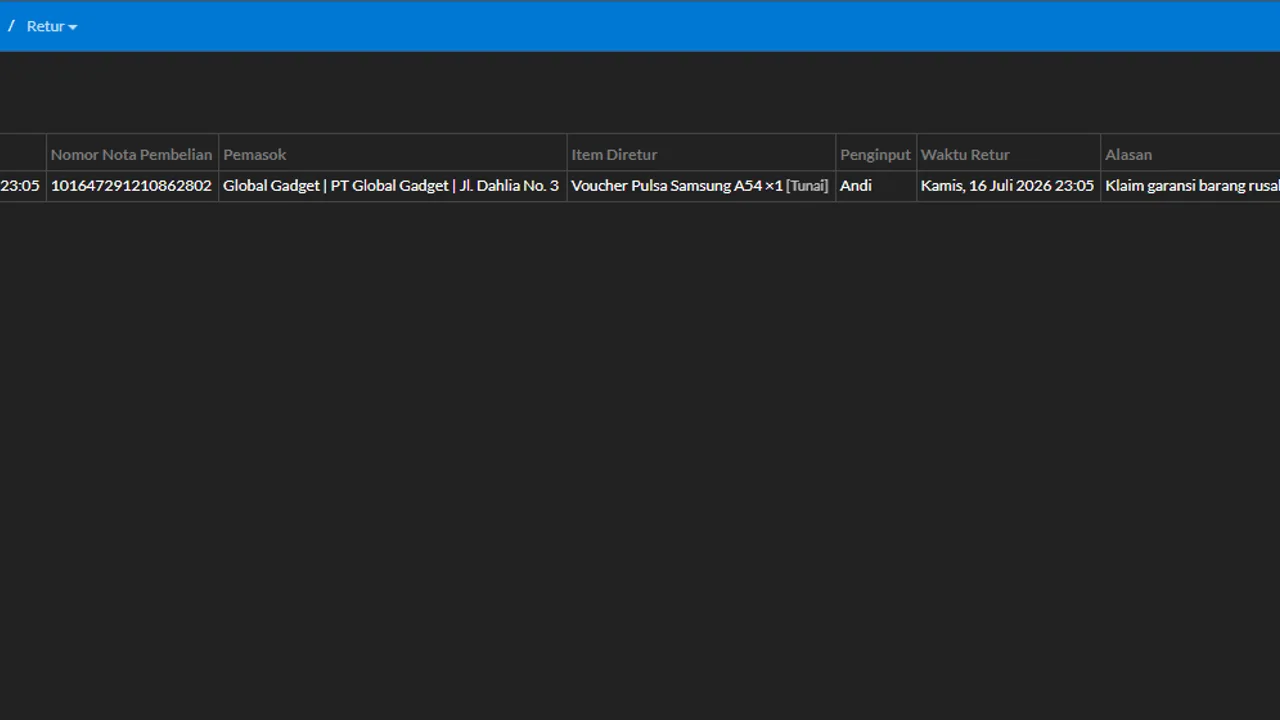
The key lives in the goods’ origin record: a claim is only strong when the shop can show which supplier the item came from and when. Because purchases in Automan are recorded per batch, that information sticks to the goods — you visit the supplier carrying data, not memory. Whether the claim is accepted stays the supplier’s decision; the system’s job is making sure the process is recorded and nothing evaporates.
Before you start
- The source purchase data is recorded in the system.
- The damaged item is already in the Damaged Stock pool (from a return/repair that marked it damaged).
Steps
-
Open Inventory → Damaged Stock
This pool holds damaged parts that still carry claim potential — instead of being written off as losses immediately.

The Damaged Stock pool: damaged parts aren't booked as losses immediately. -
Pick a claimable item
Items originating from recorded purchases carry their origin data: which supplier, which purchase receipt.

The item carries its origin: which supplier, which purchase receipt. -
Click the supplier-claim action
This action starts the warranty-claim process for that item.

The claim action starts that item's warranty-claim process. -
The system creates a claim-type purchase return
The claim is recorded as a purchase return pointing at the original purchase — the trail stays whole from buy, to damage, to claim.

A whole trail: buy → damaged → claim, all connected. -
For serial/IMEI-tracked products, pick which serial number gets voided
If the product is tracked by serial number or IMEI, the return form shows a serial list under a "Tersedia" (Available) tab, with columns for No, Serial/IMEI, and Tanggal Terpakai (date it went into use). You choose exactly which serial number gets voided as part of this claim — it is not just a quantity reduction. That matters because it is what keeps the right physical unit tied to the supplier record, instead of some other unit with a different serial that happens to still be in stock.

Compensation per agreement: replacement goods or a payable reduction. -
Fill in the supplier information, reason, and compensation
Compensation follows your agreement with the supplier — replacement goods or a payable reduction, for example.

Track claim statuses; stock and payables correct per the outcome. -
Save and track the claim status
Monitor running claims; stock and the supplier payable correct themselves per the outcome.
What you end up with
Qualifying damaged parts turn from would-be losses into recorded warranty claims, complete with the goods' origin and the process status.
If something goes wrong
The claim action doesn't appear on an item
Make sure the item comes from a recorded purchase and carries supplier data — a claim needs a clear destination.
The item isn't in Damaged Stock
Check whether the source return/repair marked the item as claimable damaged — the Loss condition never enters this pool.
The supplier rejected the claim
Record it as a claim anyway, then close it as rejected. The goods become a recorded loss rather than vanishing quietly. The pattern of rejections per supplier is itself useful the next time you negotiate.
The supplier replaced the goods instead of refunding
Treat it as new incoming stock at the agreed value. The important part is closing the original claim so it does not sit in the list looking unresolved.
There's no serial number picker on the return
The serial picker only appears for products that are actually tracked by serial number or IMEI. For ordinary products, the return is just recorded by quantity — there is no individual unit to select.