

Registering Salvaged Parts in Automan
Pulling parts from used or dead units is common, legitimate practice in the repair world. What separates a tidy shop from a leaking one isn’t the salvaging — it’s whether the pulled part gets recorded. This tutorial shows how to register it in Automan so it has an identity, a value, and a usage trail.
Before you start
- The product category master is filled (the Product Master Data tutorial).
Steps
-
First understand: salvaged parts are stock, not "drawer bonuses"
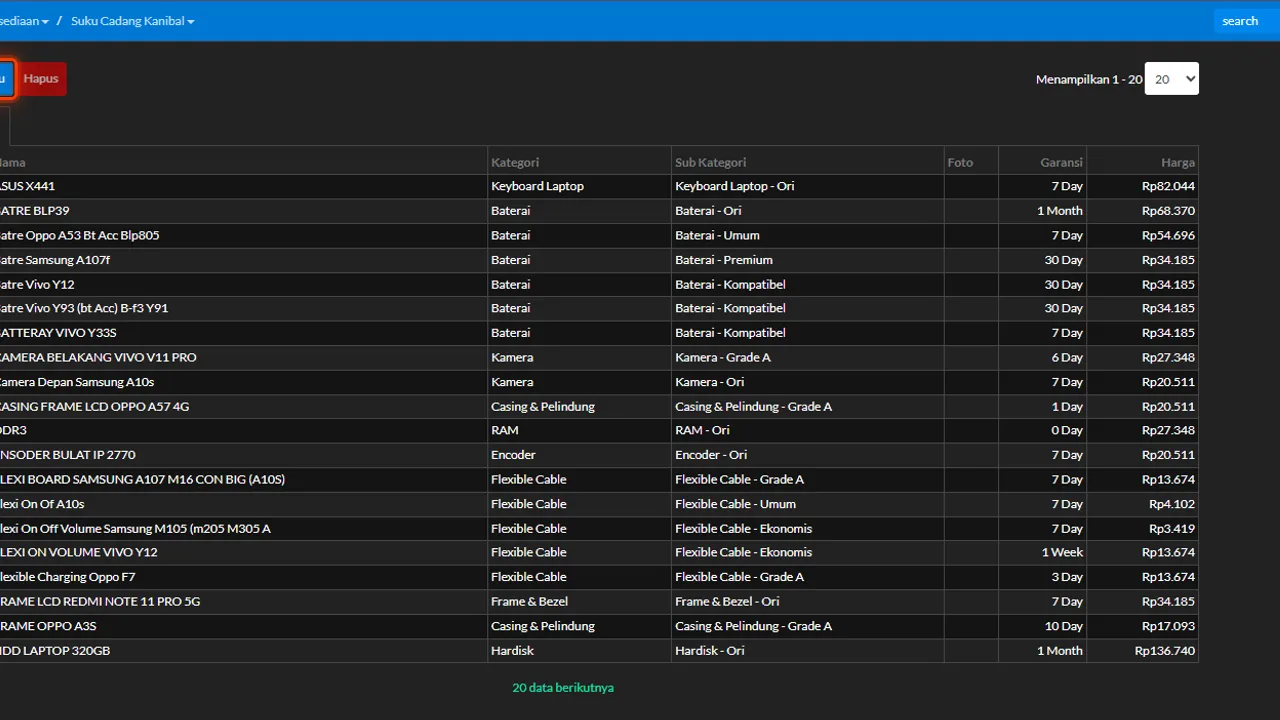
Parts pulled from used or dead units have selling value and often rescue a job — a working LCD off a water-damaged phone, an alternator off a written-off car. Used without a record, their value evaporates and physical stock never matches the books. Automan gives them a dedicated home: Salvaged Parts ("Suku Cadang Kanibal" in the app).

Salvaged parts = assets worth recording. -
Open the Inventory menu and choose Salvaged Parts
On the Salvaged Parts list page, click Add New to register a pulled part that's still fit for use.

Inventory > Salvaged Parts > Add New. -
Fill in the category and sub-category
Salvaged categories use the same master data as regular inventory — so salvaged parts stay tidy inside the grouping you already know — LCD, battery, mainboard at a counter; alternator, starter motor, wheel rim at a workshop.

Categories use the same inventory master. -
Give a clear name and a selling price
The name should carry the part's origin so it's recognizable (e.g. "LCD X50 pulled from dead unit", or "Avanza alternator from write-off"). The Price field holds the part's selling price when used in a repair or sold.

A clear name + a selling price. -
Complete the warranty and photo if available
Both optional: a warranty duration if the shop dares to guarantee the pulled part, and a photo to ease physical identification.

Warranty and photo are optional. -
Save, then use it through the repair flow like any part
Once saved, a salvaged part is used through normal repair transactions — never quietly taken from the drawer. That way its usage is traceable: when, on whose repair, and at what value.

Used through the repair flow — traceable.
What you end up with
Fit-for-use pulled parts registered as salvaged stock with identity, category, price, and warranty — used through the repair flow so their value and movement are recorded, not an invisible loss.
If something goes wrong
The category or sub-category doesn't appear during input
Salvaged categories use the inventory master data. Complete the product category master first via the Product Master Data tutorial.
Not sure how to price a pulled part
Use the fair market price of the used part. Consistency matters most — this price is what shows when the part gets used in a repair.
A salvaged part was used but stock didn't change
Make sure the usage went through a repair transaction (part picked from the list), not just the physical item taken. Only transaction usage records the movement.